ING New App - How-to guides
How do I transfer money?
Transferring money and updating recurring payments
Transferring money between your ING accounts
New ING App
- Login to your ING App
- Tap PAY > Transfer between accounts
- Select which ING account you want to transfer FROM and TO
- Enter the Amount and Description (optional)
- Choose from the three options: Now, Later, and Recurring
- Tap Continue and review that the details are correct. Then, tap Transfer and you’re done!
Online Banking
- Login to Online Banking using your client number (found on the back of your Orange Everyday card, a recent statement or in the ING App) and access code
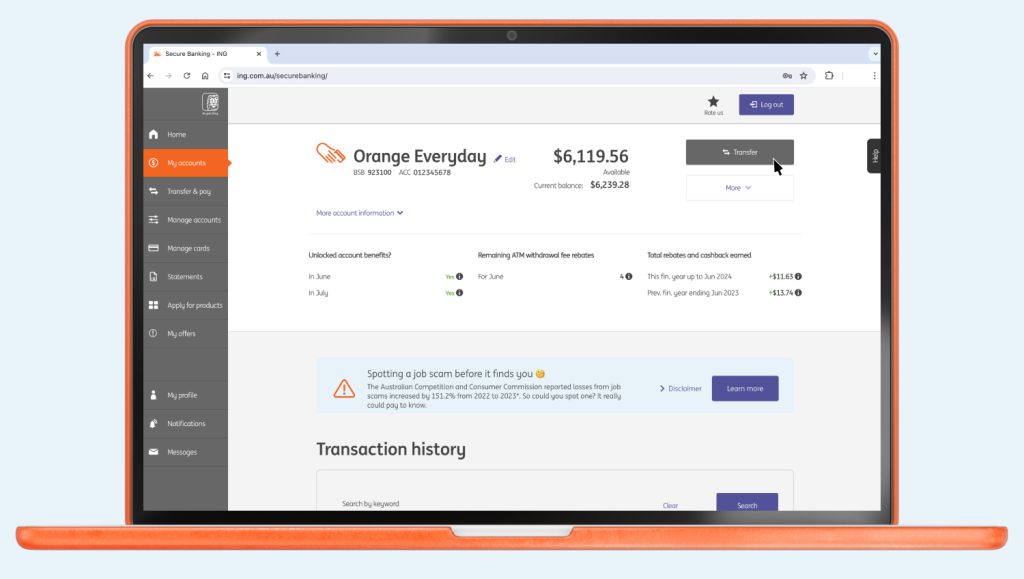
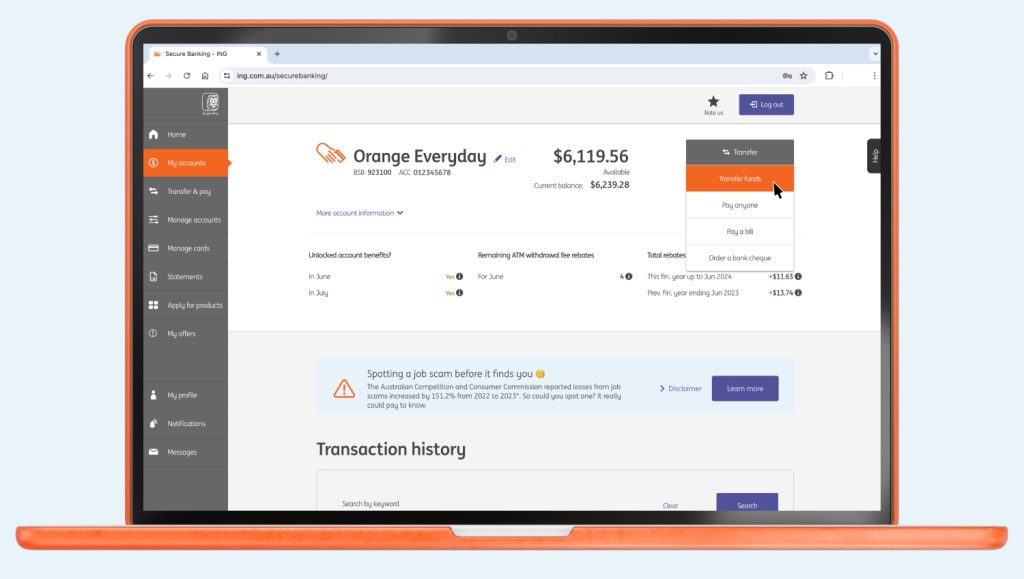
- Select the account you wish to transfer from

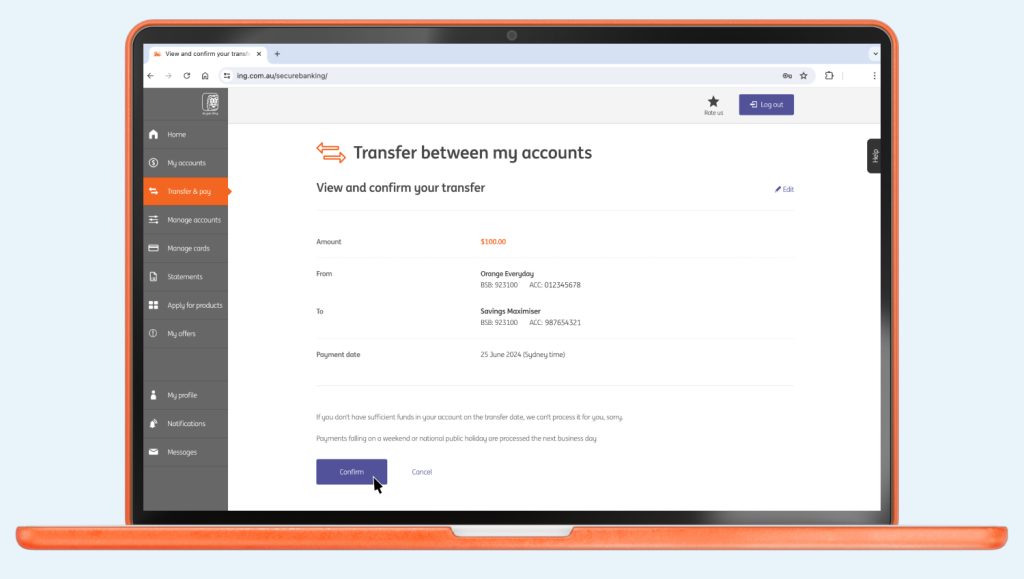
- Click Transfer > Transfer funds

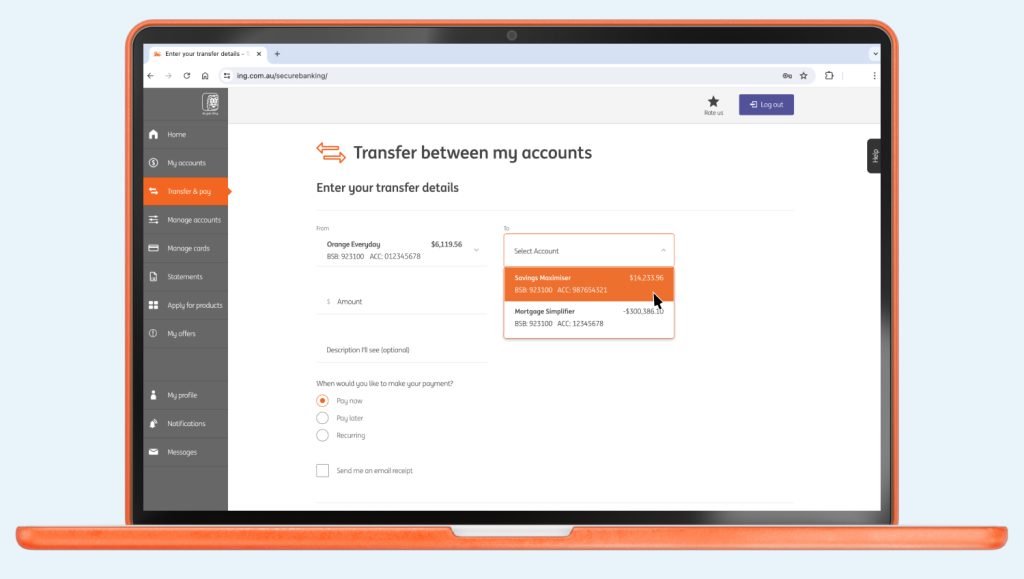
- Select which ING account you want to transfer From and To

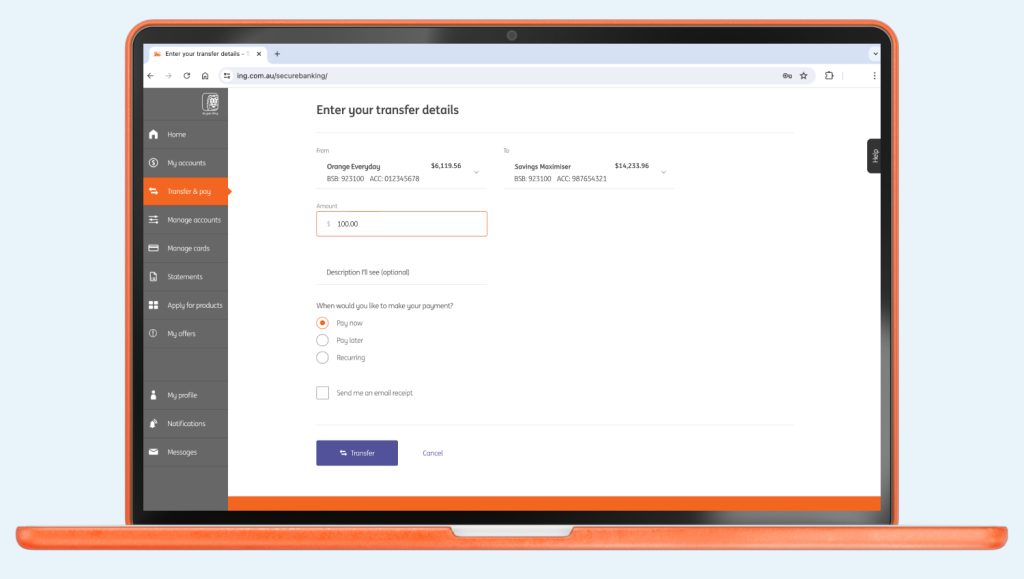
- Enter the Amount and Description I’ll see (optional)

- Select When you would like to make your payment? (‘Pay now’ is automatically defaulted if you don’t select)
- Click Transfer and review that the details are correct and then select Confirm and you’re done!

Transferring money from ING to another financial institution
New ING App
- Login to your ING App
- Tap Pay > Pay Anyone
- Your Address Book will pop up. If you need to add a new account tap Add new, and either select from the Bank account or PayID options, then enter the details of the account you wish to transfer to.
- Select the account you want to pay from. Enter the Amount, Description and reference (both optional) and tap Continue
- Review the payment details are correct on the Confirm details page and tap Pay. The confirmation details will appear shortly after.
Online Banking
- Login to Online Banking using your client number (found on the back of your Orange Everyday card, a recent statement or in the ING App) and access code
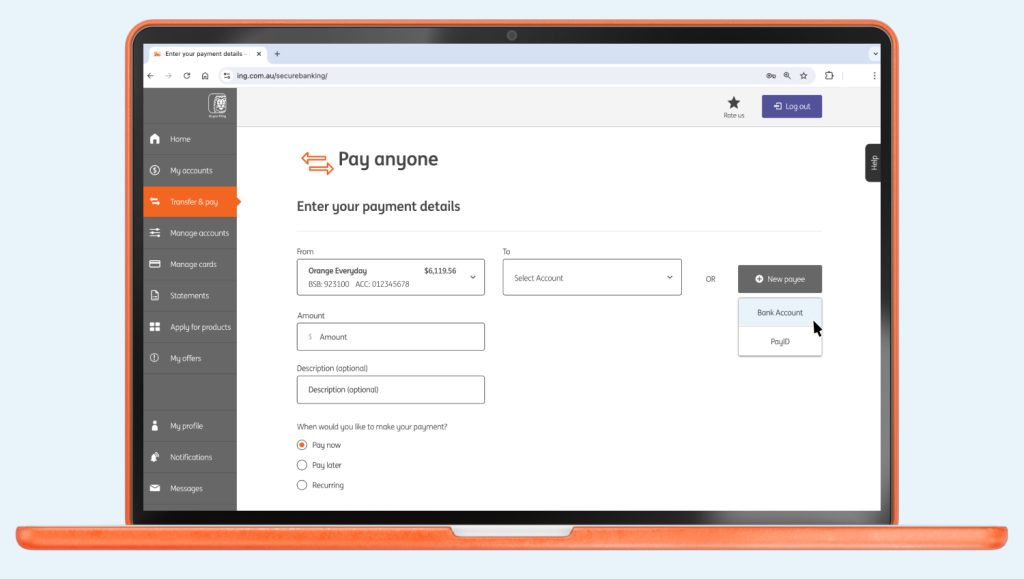
- From the navigation menu, click Transfer & pay > Pay anyone
- Either select an account you want to pay To from your address book or click + New payee if it’s not there, then enter the details of the account you wish to transfer to.

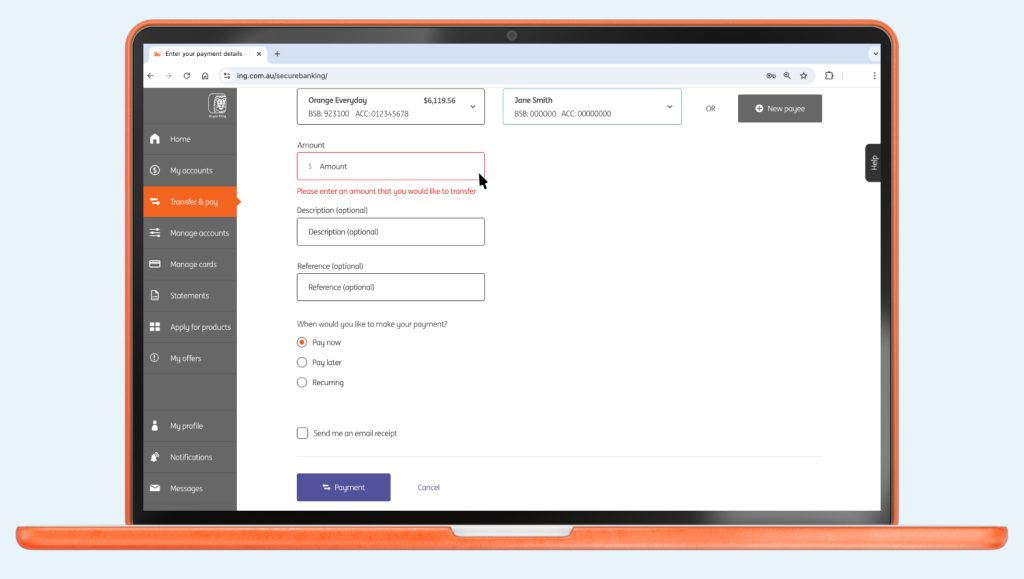
- Enter the Amount, Description & Reference (both optional), then select When would you like to make your payment? and click Payment

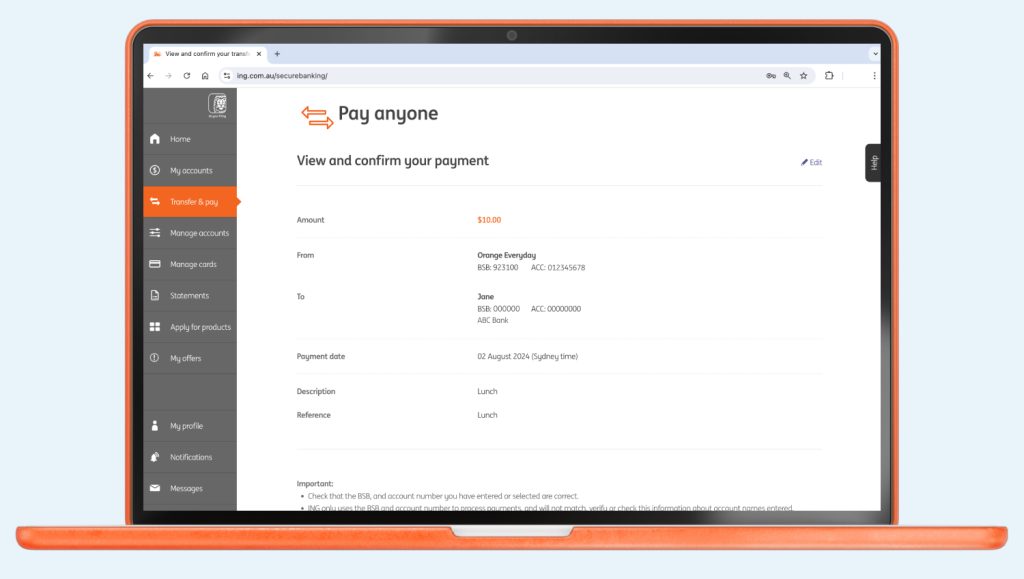
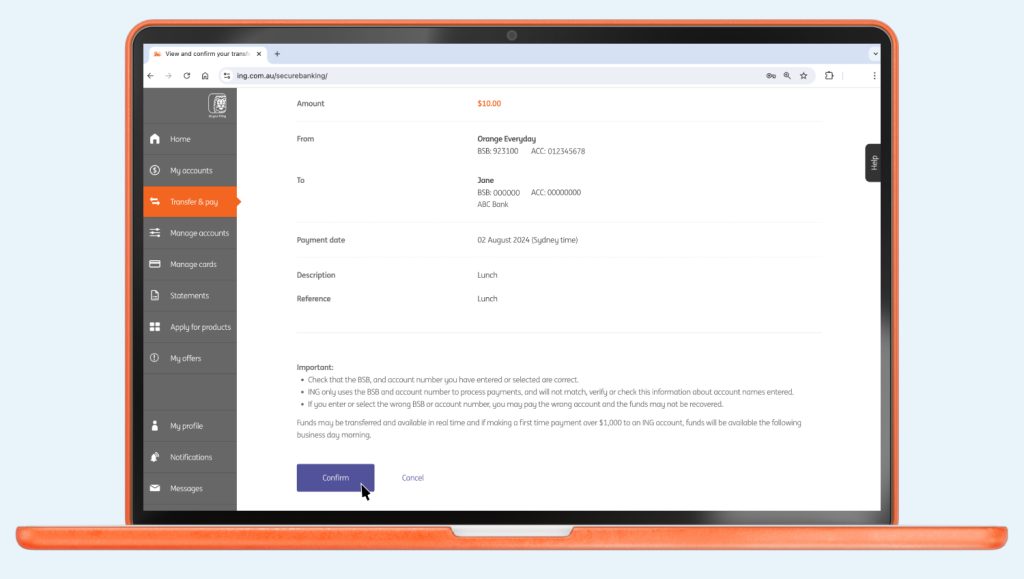
- Review the payment details are correct on the ‘View and confirm your payment’ page

- Click Confirm and the confirmation details will appear.

Tip: For people you pay regularly, add their account details to your Address Book to make the process even quicker next time.
Transferring money internationally
You are unable to move funds internationally directly from your ING accounts. If you wish to transfer money internationally, you will need to use a third-party service.