ING New App - How-to guides

How do I view my statements online?

View statements

Jump to a section

  1. Login to your new ING App
  2. Select the account you wish to view the statement for
  3. Tap MANAGE > Statements
  4. Select period you wish to view your statement for. You can also get a statement for a date later than your last available statement by selecting Interim statement (most recent statement).
  5. Download your electronic statement on a PDF file and save.
  1. Login to Online Banking using your client number (found on the back of your Orange Everyday card, a recent statement or in the ING App) and access code
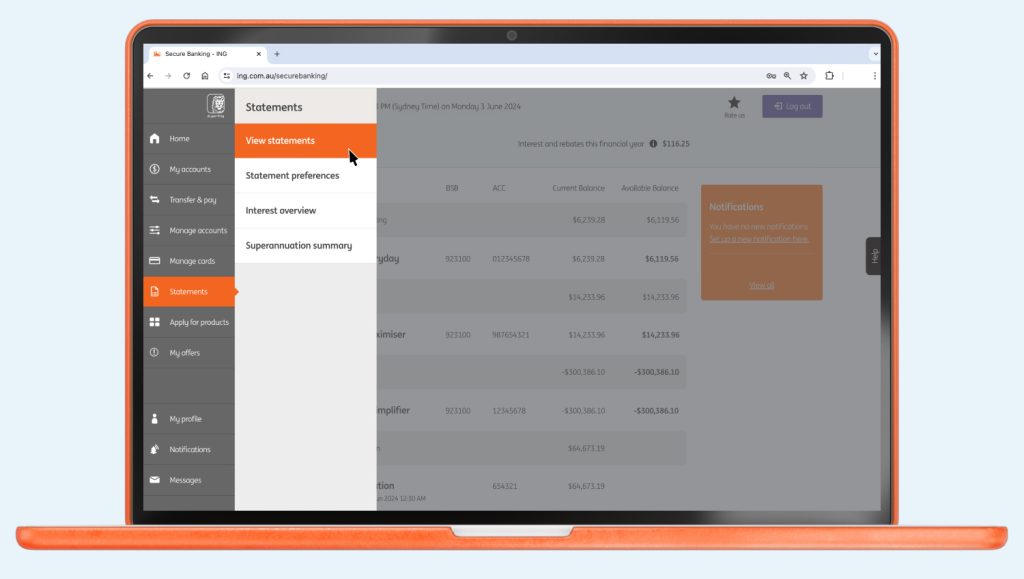
  2. From the navigation menu, select Statements > View statements

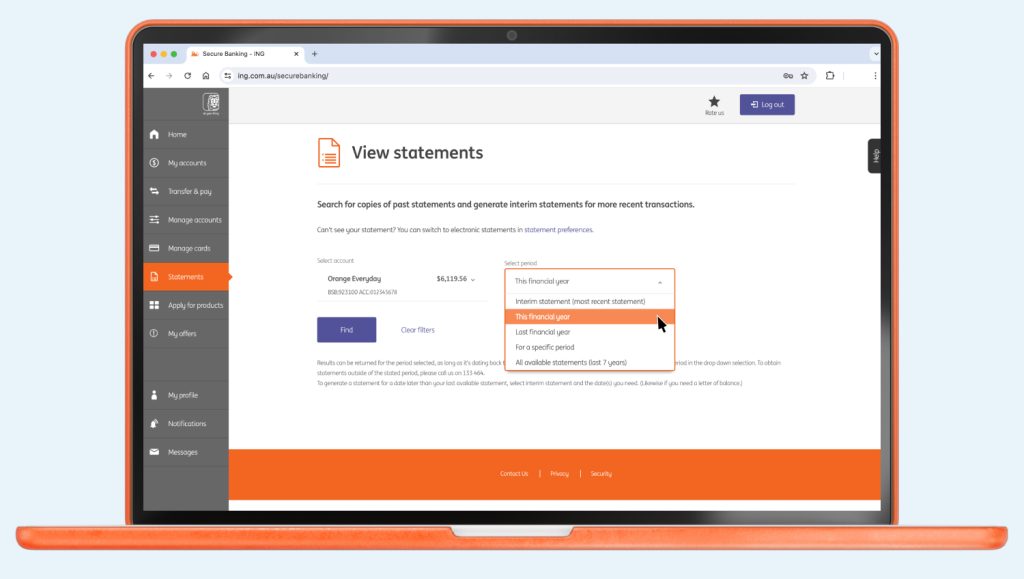
  3. Select account and select period from the dropdown menu. You can also get a statement for a date later than your last available statement by selecting Interim statement (most recent statement).
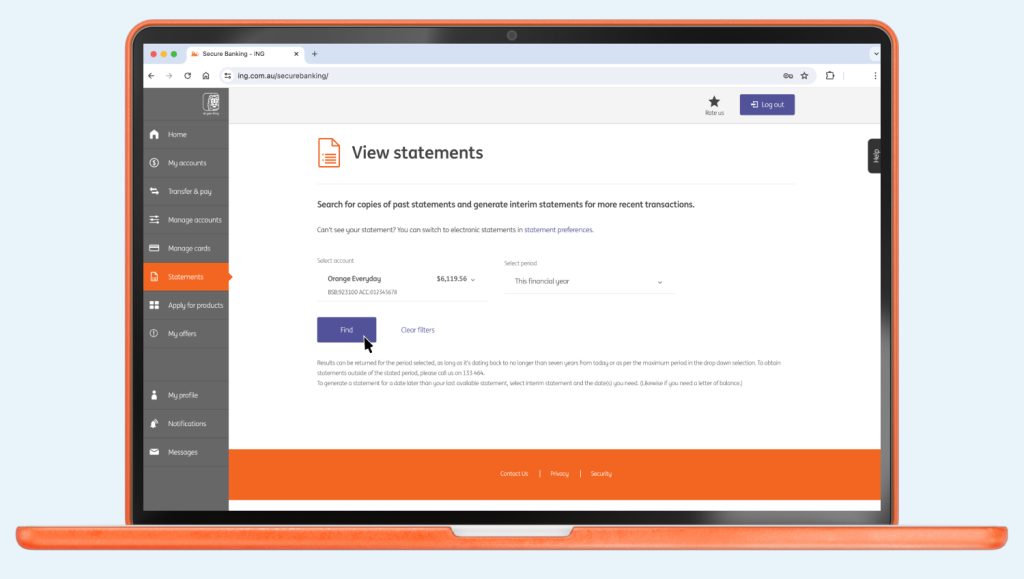
  4. Click Find and the statement period will be available to download your electronic statement as a PDF file
  5. Client on the downloaded PDF and it should open in your PDF app or web browser. If you can’t see your statement, it may have opened in a separate window.

Did you find this page helpful?