Orange One
Activate your card
Activate your card right away
If you haven’t already, simply log into the ING app on your mobile, select Orange One and follow these three easy steps:
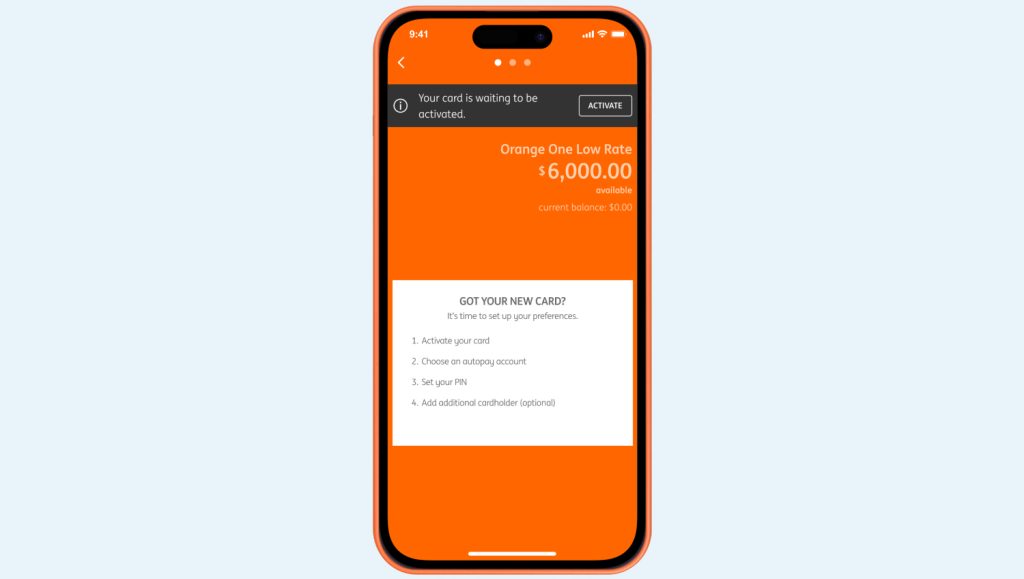
Step 1
Log into the ING mobile app.
Step 2
Select your Orange One account, then select ACTIVATE or MANAGE > Manage card from the list > Activate card
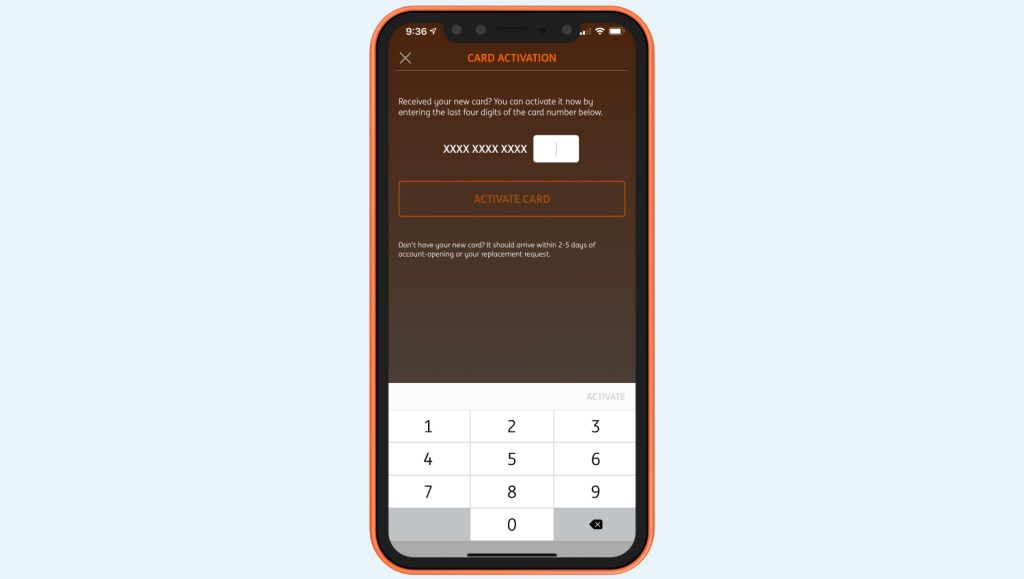
Step 3
Enter the last four digits of your card then select Activate Card.
Don’t forget to sign your card.
 Activate your card
  PIN set up
  Staying secure
  Automatic payments
  Set up your mobile wallet
 Making repayments
  Handy extras
  Frequently Asked Questions