
What are the transfer limits?
Payment Limit Debit Card Purchase Limit (Including Apple Pay) $50,000 per day per account ...
Jump to a section
It’s easy to set up a scheduled payment from your ING account, it’s just as easy – and fast – to edit or cancel it too using the Legacy ING app or Online Banking.
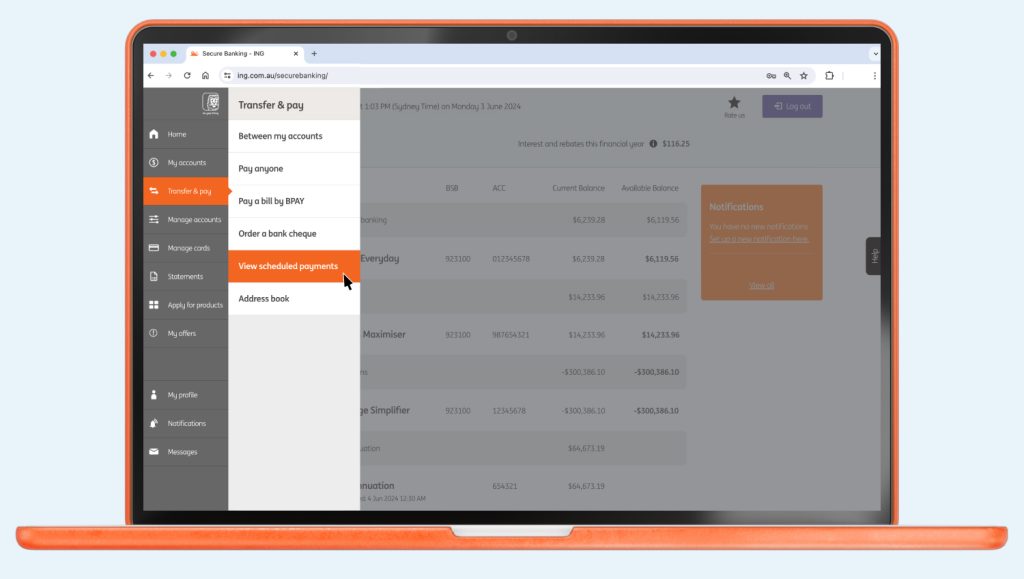
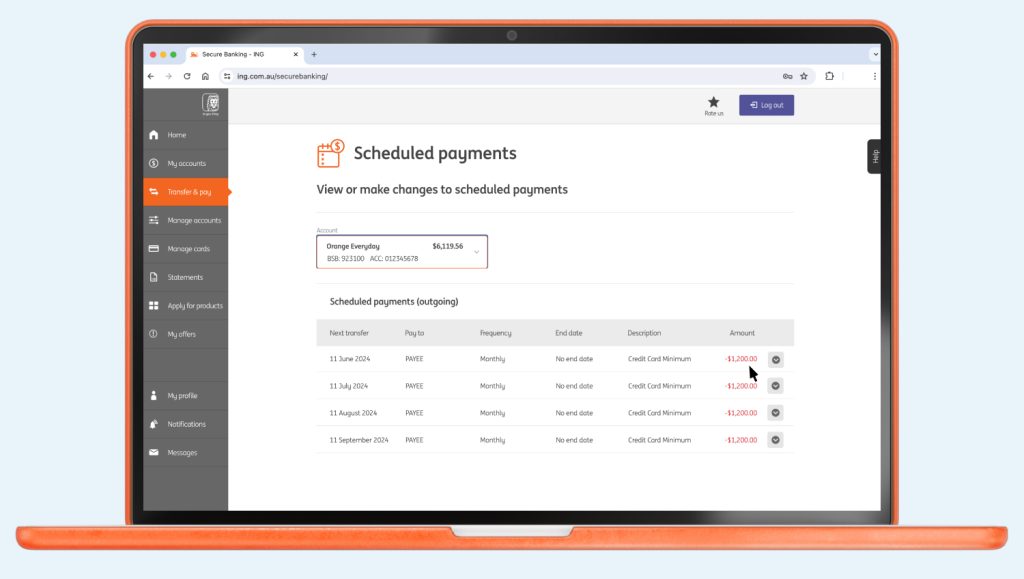
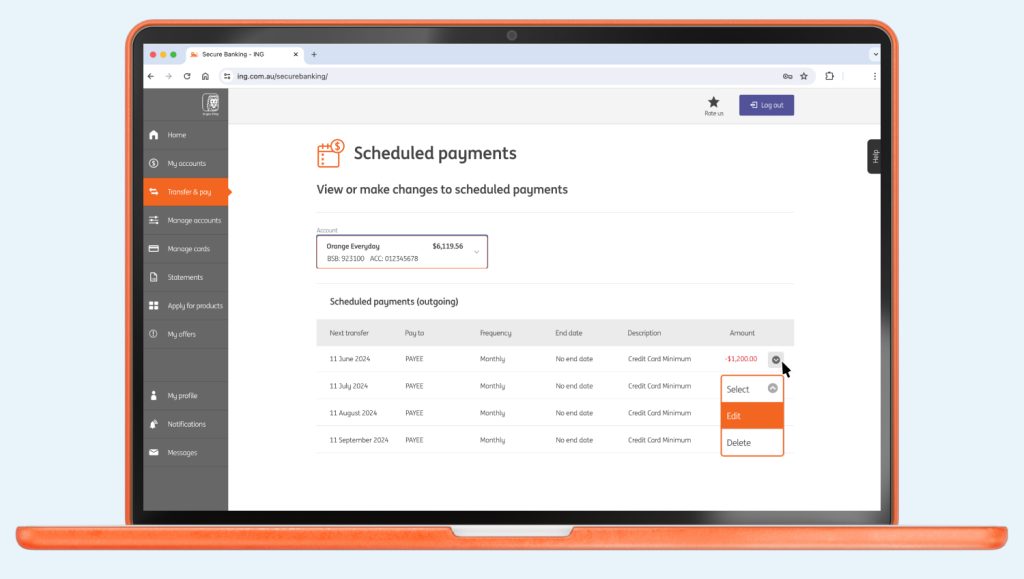
Please note, it can take up to 2 business days for the change to take effect. You’re also unable to make changes the same day a scheduled payment is due.
Payment Limit Debit Card Purchase Limit (Including Apple Pay) $50,000 per day per account ...

Transferring money between your ING accounts Transferring money from ING to another financial institution ...

Keen to understand a little more about our policy? Head here. It will ...

1. Set it up ING Everyday Round Up requires an Orange Everyday account for ...

Can I use my card overseas? Yes, you can use your Orange Everyday or ...

You can access your statements using your Legacy ING app or Online Banking.