
ING Legacy App - How-to guides
Fixed Rate Home Loan Expiry.
Fixed Rate Home Loan Expiry
How do I find out the expiry date of my Fixed Rate Home Loan?
Online Banking
To find out when your Fixed Rate Home Loan is due to expire follow the below steps:
- Login to Online Banking using your client number (found on the back of your Orange Everyday card, a recent statement or in the ING App) and access code
- Select the Loan Account
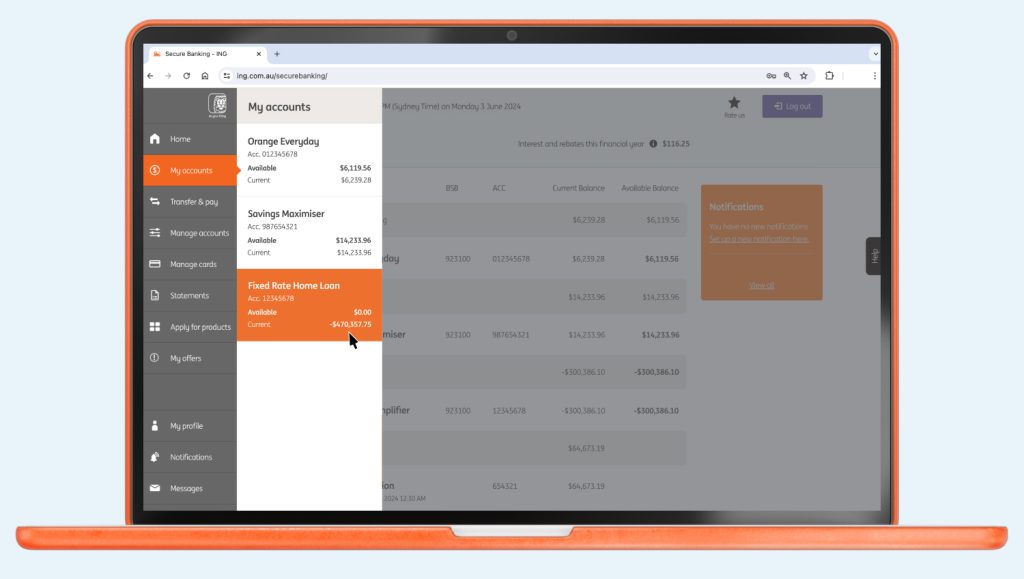
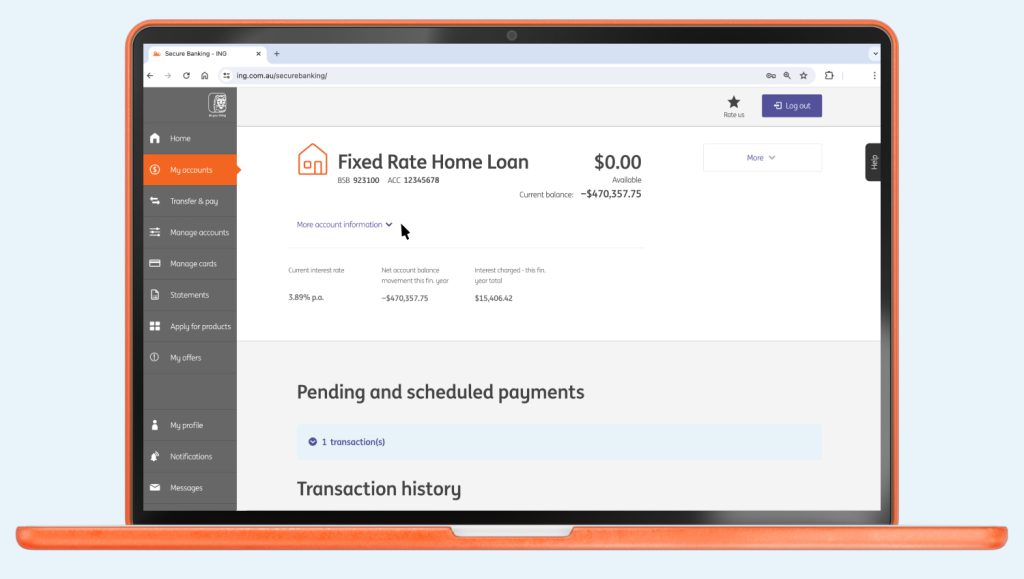
- Click on More account information located to the left under the loan account balance
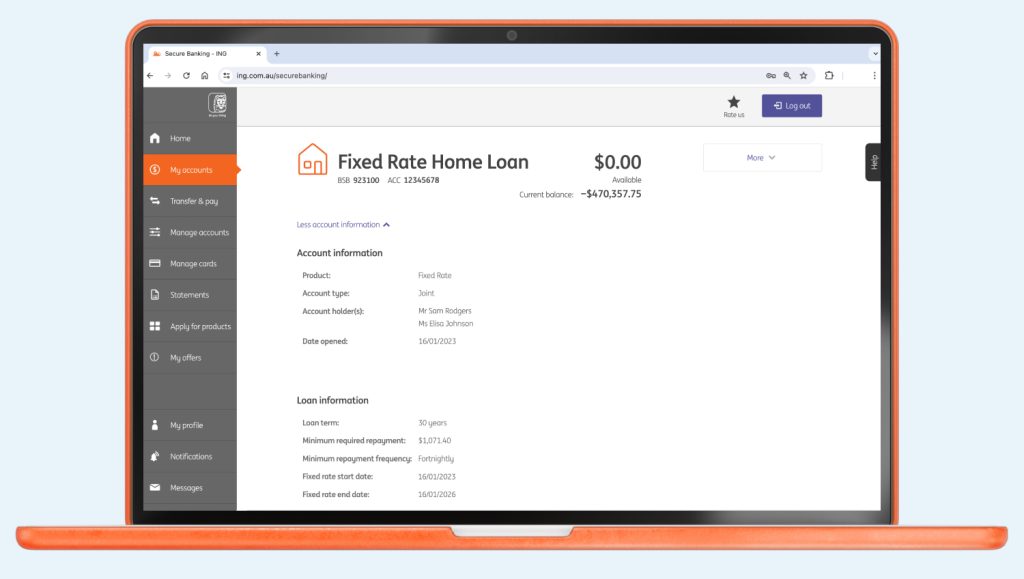
- Scroll down to Loan Information and the details will be displayed.
What happens after my Fixed Rate Home Loan expires?
On expiry of your Fixed Rate Home Loan period, your loan will move automatically to a Mortgage Simplifier with a variable interest rate.
There’s also the following option(s) available:
- Switch to a variable rate home loan with 100% offset
- Split your loan between fixed and variable rates, or
- Refix your rate for another period from 1 to 5 years.
We will send you a letter 30 days before your Fixed Rate Home Loan expires with full details on next steps and what to expect.
Looking for some home loan hacks to get ahead? Head here.
Did you find this page helpful?
You might be interested

What are the transfer limits?
Payment Limit Debit Card Purchase Limit (Including Apple Pay) $50,000 per day per account ...

When will my transaction go through?
How long the money will take to reach its destination depends on the type ...

Using your card internationally.
Can I use my card overseas? Yes, you can use your Orange Everyday or ...

How do I manage my Scheduled Payment?
It’s easy to set up a scheduled payment from your ING account, it’s ...

What if I dispute a transaction on my debit card or credit card?
No problem. There are two differences here: A disputed transaction – a transaction that ...