
What are the transfer limits?
Payment Limit Debit Card Purchase Limit (Including Apple Pay) $50,000 per day per account ...
Ever looked at your transactions and seen a charge you don’t recognise? Often that’s
because payment has been processed under a merchant’s registered business name
(like ABC Pty Ltd) rather than the trading name you might know (like Brand XYZ).
But now all is revealed via the Legacy ING app or online banking.
With more transaction details than ever before, we give you more control by making sense of that charge in your account you were unsure about. So before disputing a transaction, it could pay to check the details first so you don’t waste time and effort unnecessarily.
Depending on the merchant, our transaction records may include any of the following info:
To see all available Orange Everyday or Orange One card transaction details in the Legacy ING app, simply:
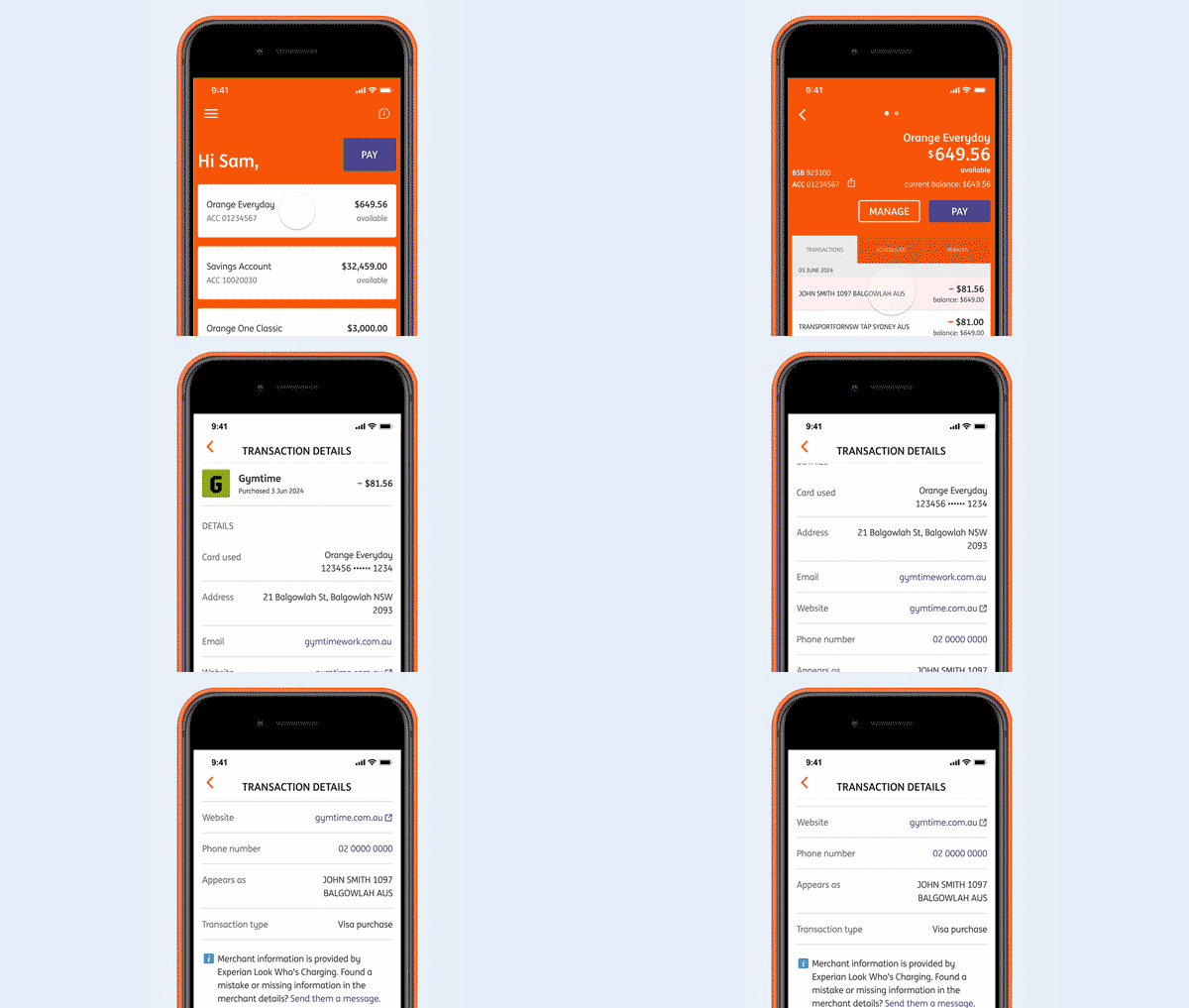
Card transactions include credit, debit or international transactions whether it’s pending or a settled transaction.
The merchant information is provided by Look Who’s Charging. ING does not guarantee the accuracy or completeness of this information. If you find any mistakes or missing details, please send them a message.
Payment Limit Debit Card Purchase Limit (Including Apple Pay) $50,000 per day per account ...

How long the money will take to reach its destination depends on the type ...

In most situations, single Savings Booster, Savings Maximiser, Savings Accelerator and eligible Orange Everyday ...

You can access your statements using your Legacy ING app or Online Banking.

Checking or changing your details Changing your linked bank account For Savings Maximiser, Savings ...

It’s easy to set up a scheduled payment from your ING account, it’s ...