
Additional transaction details.
Identify card transactions with ease Ever looked at your transactions and seen a charge ...
Jump to a section
It’s easy to set up a scheduled payment from your ING account, it’s just as easy – and fast – to edit or cancel it too using the ING app or Online Banking.
To set up a scheduled payment between your ING Accounts:
Tap Continue and review that the details are correct. Then, tap Transfer and you’re done!
To set up a scheduled payment to another financial institution:
To review and manage the scheduled payments, click on your Chosen ING account > Scheduled.
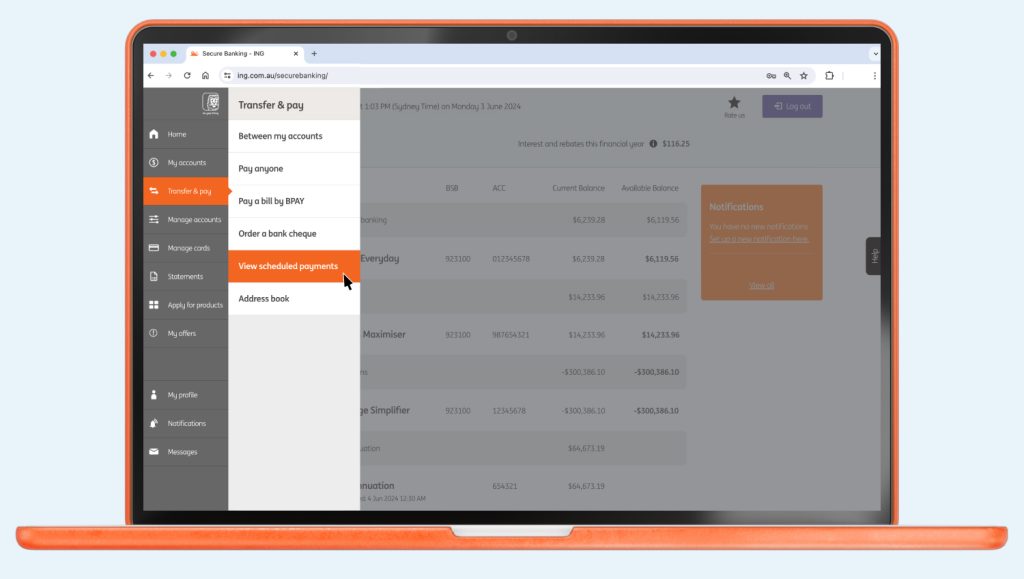
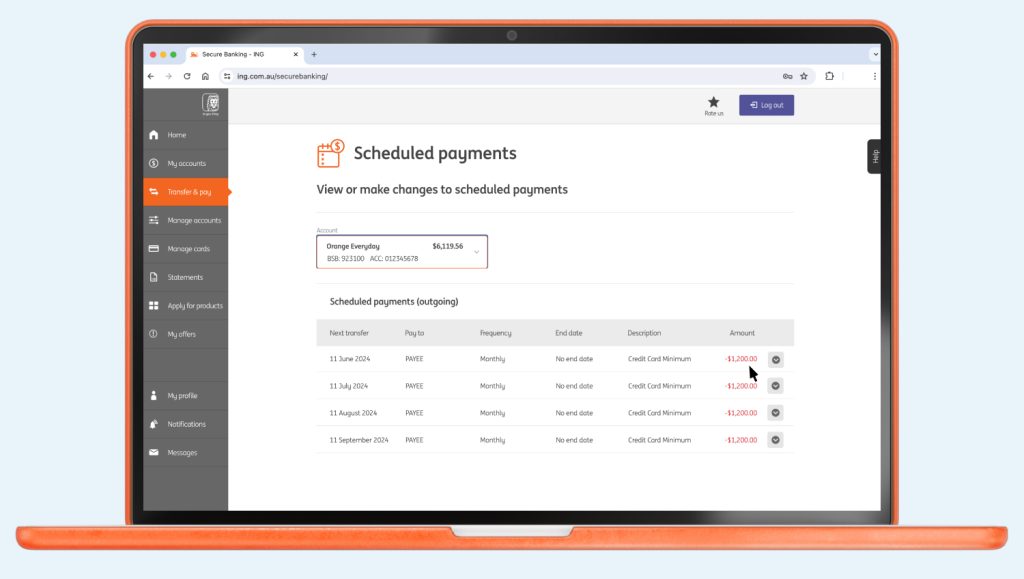
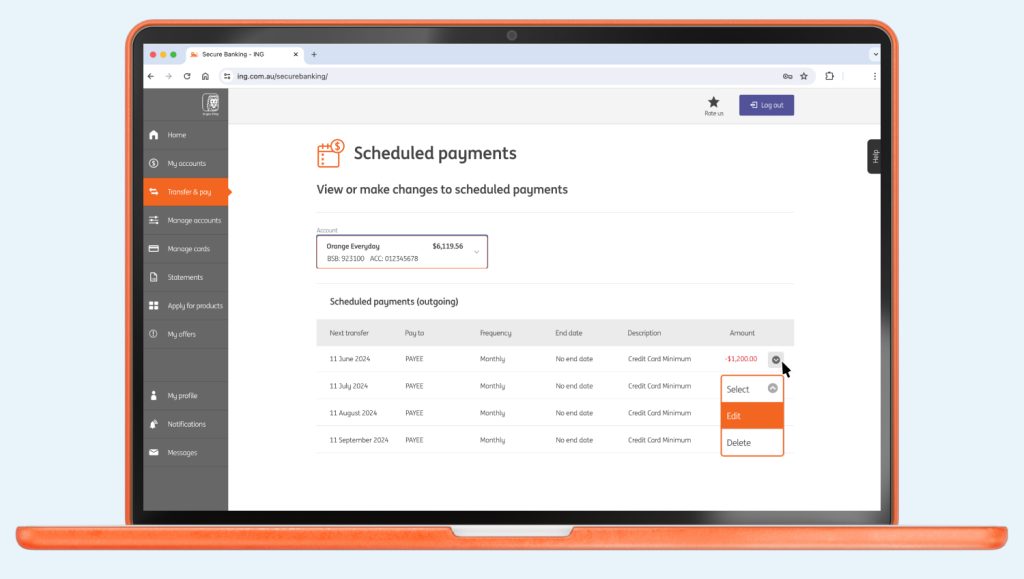
Please note, it can take up to 2 business days for the change to take effect. You’re also unable to make changes the same day a scheduled payment is due.

Up next
If you dispute a transaction on your Orange Everyday or Orange One, here’s how to go about getting a quick resolution.
Identify card transactions with ease Ever looked at your transactions and seen a charge ...

You can change it up or down - fast - either on the go using the ING app or from your desktop with online banking.

How to get the Welcome and Boost rate? How do I qualify for the ...

Keen to understand a little more about our policy? Head here. It will ...

Here’s how to set nicknames for your accounts via the ING app:
7 min read