
How do I set up Everyday Round Up?
1. Set it up ING Everyday Round Up requires an Orange Everyday account for ...
Jump to a section
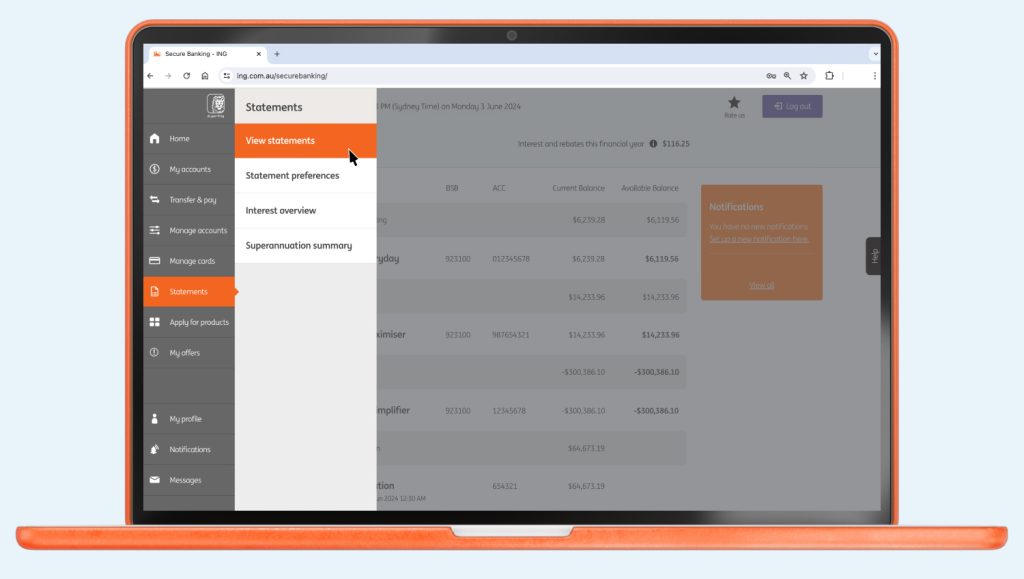
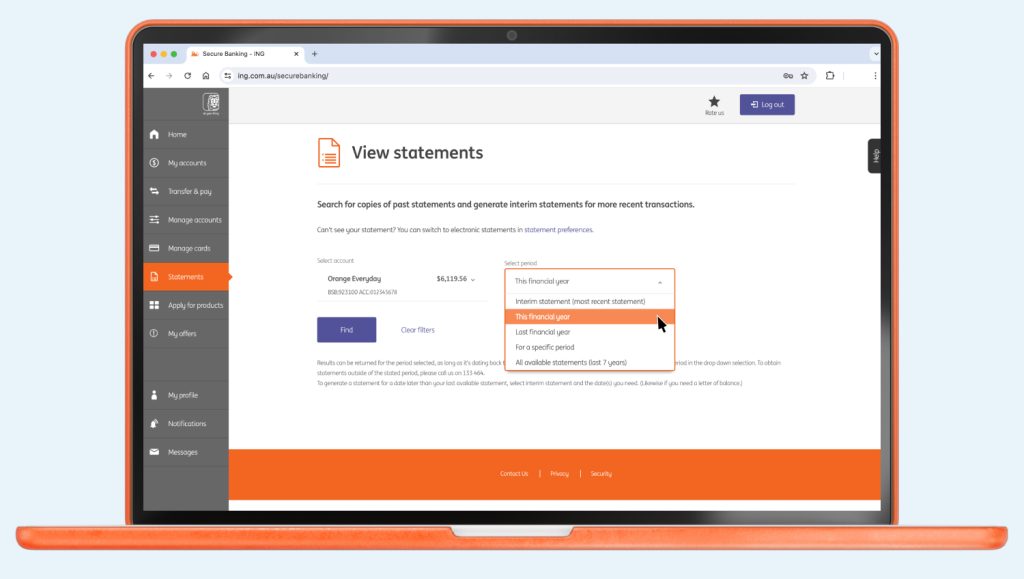
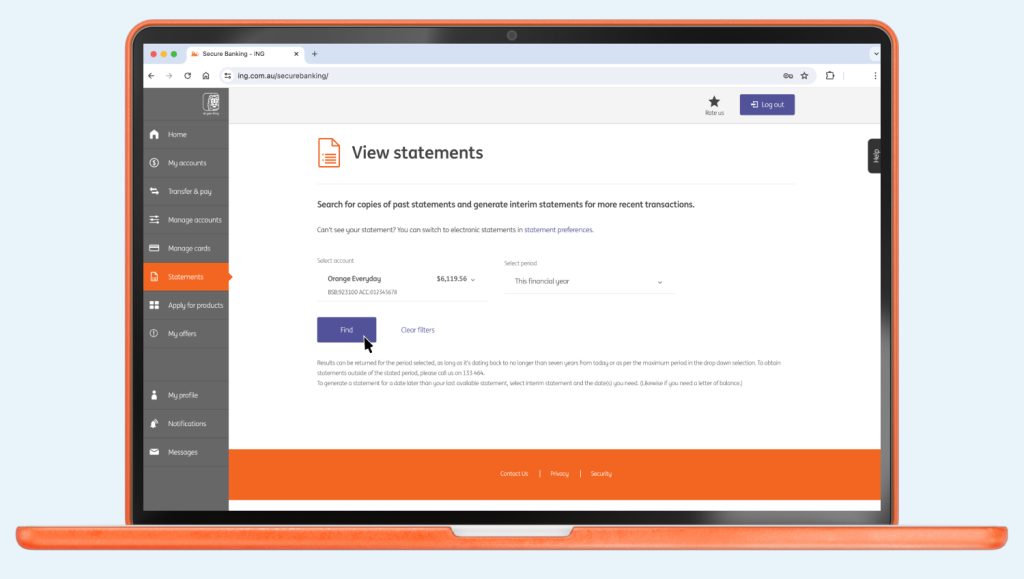
You can access your statements using your ING app or Online Banking.

Up next
Easy. And fast! Some organisations will let you to do this online, over the phone or by completing a form.
1. Set it up ING Everyday Round Up requires an Orange Everyday account for ...

If you dispute a transaction on your Orange Everyday or Orange One, here's how to go about getting a quick resolution.

Here’s how to set nicknames for your accounts via the ING app:
7 min read
Transferring money between your ING accounts Transferring money from ING to another financial institution ...

In most situations, accounts can be closed quickly using online banking or with the ING app.