
Managing Home Loan repayments.
Change repayment amount How often can I make repayments? Repayment type Frequency Principal and ...
Jump to a section
While we’ll never treat you like a number, your client number and account number are how we can give you fast yet secure access to your ING accounts.
Your unique client number is a simple way of identifying yourself with ING.
You can easily find your client number from the following:
Having your client number and access code handy when you call, helps us to answer your call quicker.
You also need your client number to access Online Banking.
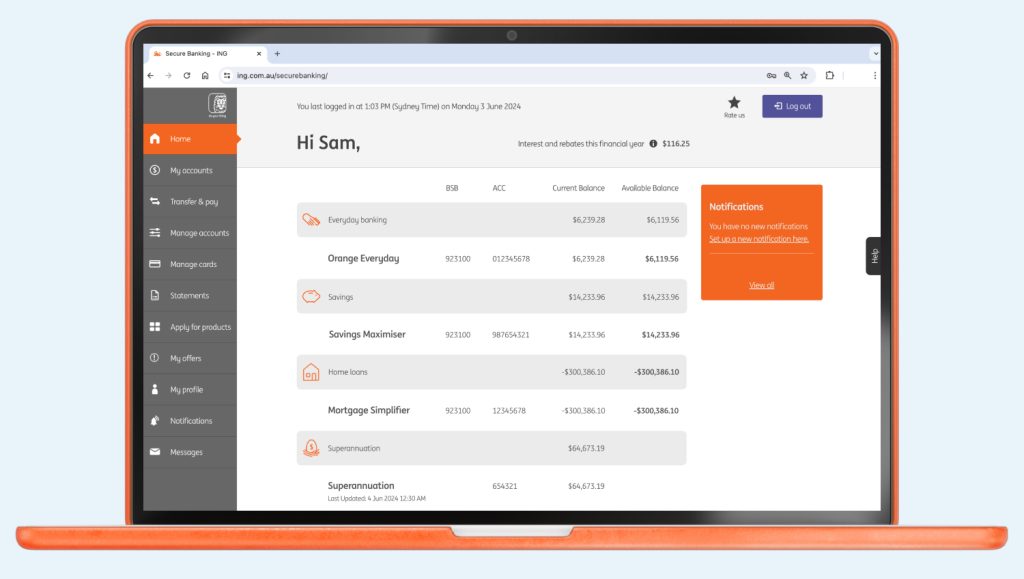
Your account number is the unique number allocated to each account you hold with us. To see your account numbers simply login to the ING app or Online Banking.

Up next
If any of your details change, you can easily update them online.
Change repayment amount How often can I make repayments? Repayment type Frequency Principal and ...

What are notifications? Notifications help you stay across activity on your accounts. You can ...

What are digital card details? In the ING app you can find your digital ...

Orange Everyday ING App Note: if your card has already been added to the ...

How to get the Welcome and Boost rate? How do I qualify for the ...