How to change my Pay Anyone daily limit?
You can change it up or down - fast - either on the go using the ING app or from your desktop with online banking.

Savings Maximiser is not available for new applications from 1 December 2026.
If your existing Savings Maximiser account is closed after this date, you won’t be able to apply for another one.
Jump to a section
In most situations, single Savings Booster, Savings Maximiser, Savings Accelerator and eligible Orange Everyday accounts can be closed quickly using the ING app or within Online Banking.
Orange One accounts can be closed using Online Banking only.
If your account is still active, you can also send an account closure request through the Message function in online banking, or via Chat in the ING app.
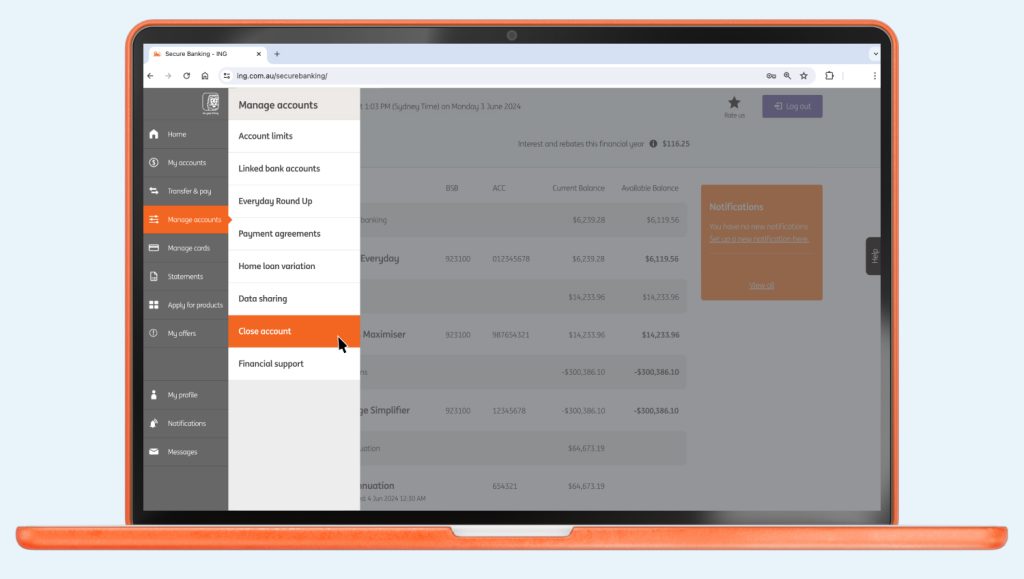
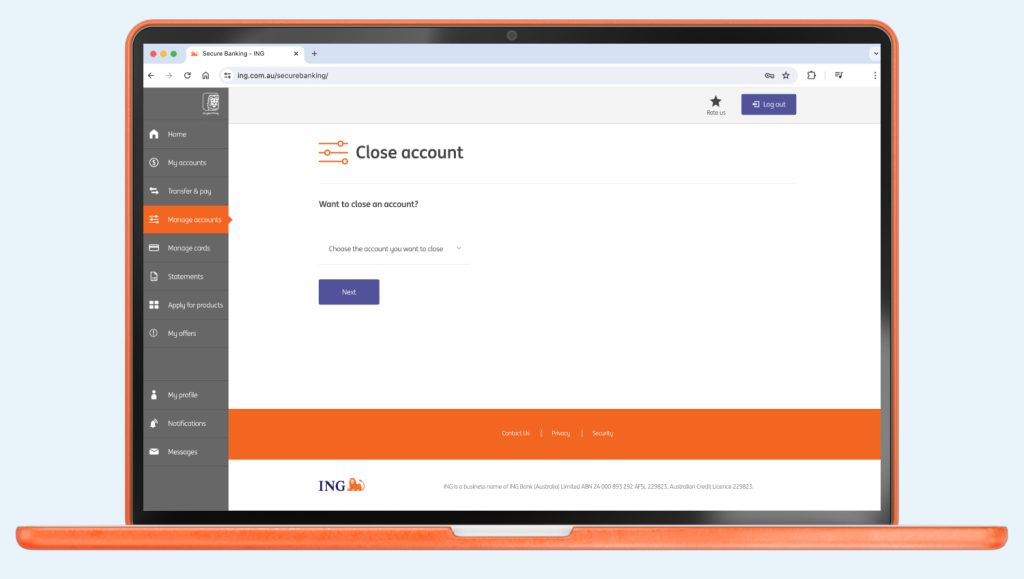
If you can’t close your account online or have any issues closing a joint account, call us on 133 464 so we can process your request. If overseas, please use our free call numbers from selected countries or call +61 2 7242 1974 (charges apply).

Up next
You could fast track your savings goals sooner, with Savings Maximiser’s highest available variable rate.
You can change it up or down - fast - either on the go using the ING app or from your desktop with online banking.

Payment Limit Debit Card Purchase Limit (Including Apple Pay) $50,000 per day per account ...


How do I find out the expiry date of my Fixed Rate Home Loan? ...

If any of your details change, you can easily update them online.