
What if I never received my Orange Everyday card or it has been cancelled?
If you never received your Orange Everyday Card or it was cancelled, you can ...
Jump to a section
Reset access code can only be accessed during registration, or if you’ve been locked out of the app.
How you reset your access code using online banking depends on if you’ve registered to receive SMS security codes.
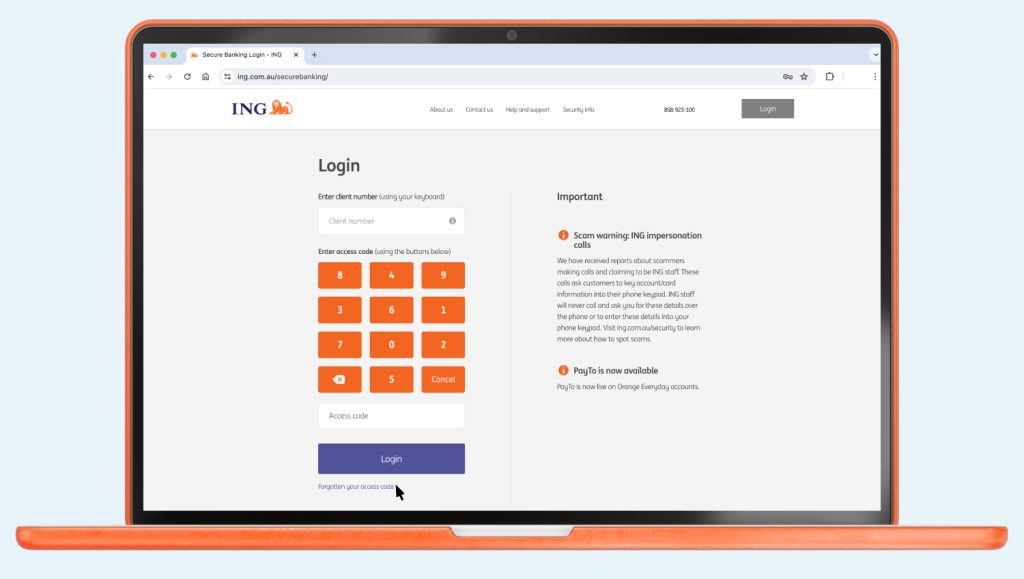
If you’ve tried 3 times and been locked out, call us on 133 464 so we can reset it for you.
You can reset your access code using the ING App or Online Banking.

Up next
Easy. And fast! Some organisations will let you to do this online, over the phone or by completing a form.
If you never received your Orange Everyday Card or it was cancelled, you can ...

You can change it up or down - fast - either on the go using the ING app or from your desktop with online banking.

Whether you want to hide your balance or only show it when nobody is ...

Your client number and account number are how we can give you fast yet secure access your ING accounts.